EDDY Frequently Asked Questions
Note
- This guide collects various EDDY error messages and their solutions
- If you have better suggestions, please feel free to contact us
Prompt: Error during homing z: Eddy current sensor error
Method 1:
- For this error, go to the bottom of the
printer.cfgconfiguration file and findreg_drive_current =. Adjust the value the arrow points to by either adding+1or subtracting-1, then save and restart, followed by testing. - Tip:
+1or-1does not mean you should directly type it in; instead, calculate the new value and replace the existing one. For example, if the original value is15, enter16or14after calculation, not expressions like15+1or15 -1.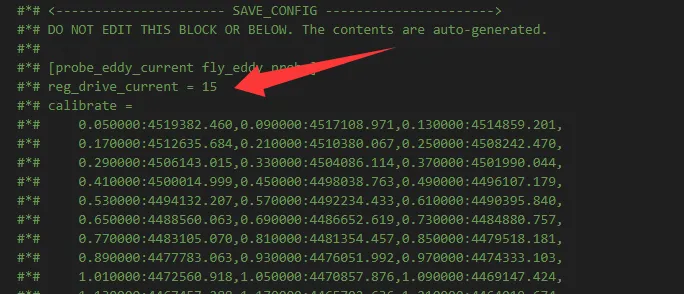
Method 2:
- If the issue persists, you need to increase the
z_offset:value in the[probe_eddy_current fly_eddy_probe]section. Change the default value of1.0to2.0or2.5, save, restart, then test. - Tip: Do not repeatedly configure the
z_offset:value in[probe_eddy_current fly_eddy_probe], and do not exceed3. - Note: The actual adjustment of
z_offset:depends on your machine design. This is only a reference.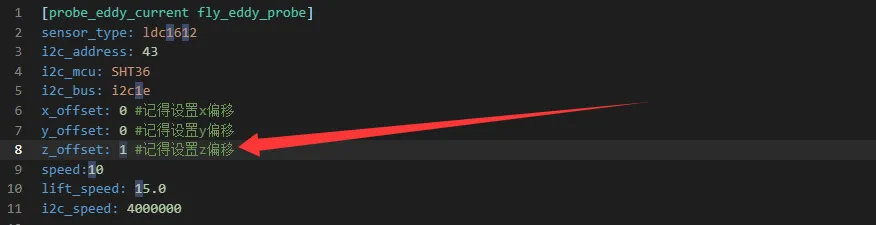
Method 3:
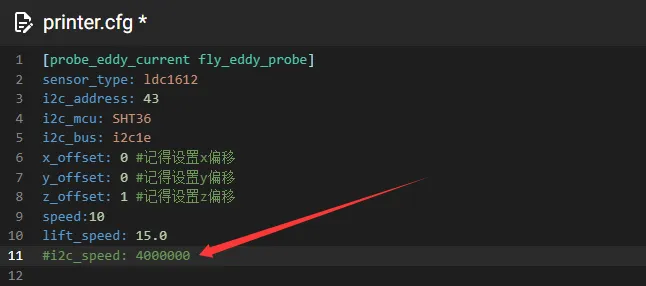
- You can add a
#beforei2c_speed: 400000in[probe_eddy_current fly_eddy_probe]to comment it out, save and restart, then test. - Tip: After commenting out and restarting, it is recommended to recalibrate.
- If the homing works normally but the
z_offsetis greater than2.0, you need to adjust the parameters in theeddypz.cfgfile.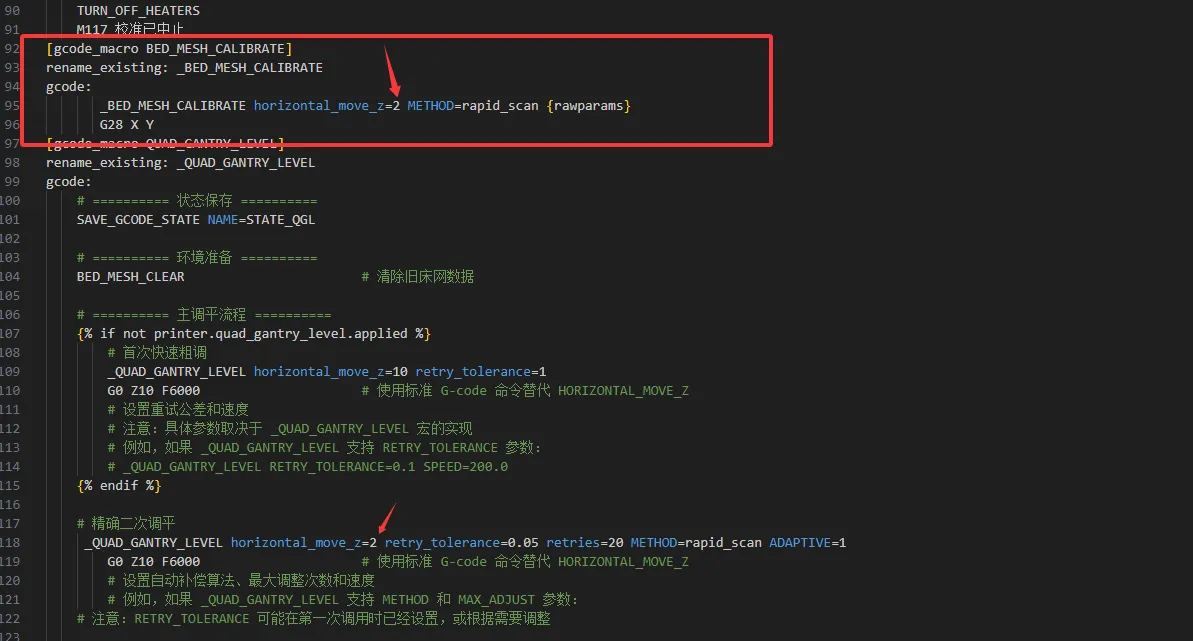
Prompt: !! probe_eddy_current sensor not in valid range
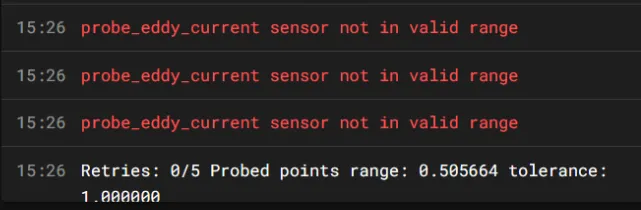
- Due to certain reasons, EDYY does not process scan height settings in other sections such as
[Horizontal_move_Z]or[bed_mesh].
Loading...