Screen Wiring and Configuration
C5 Screen Wiring
Important Notes
- Power off the device before connecting the screen to avoid damage.
- Pay attention to the FPC ribbon cable orientation when wiring the screen to prevent damage.
- TFT Screen Wiring
- HDMI FPC All-in-One Wiring
- HDMI Standard Wiring
- UART Screen Wiring
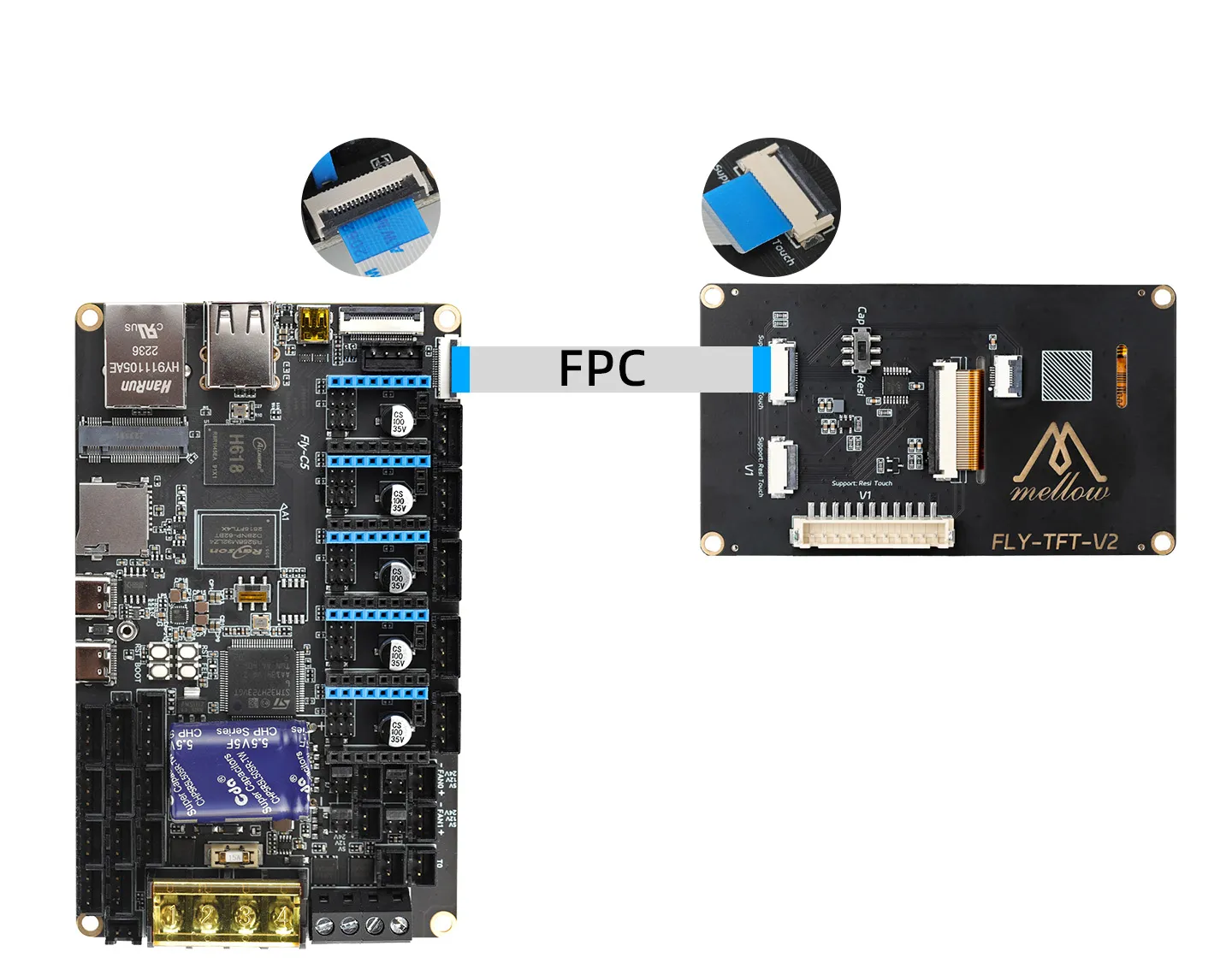
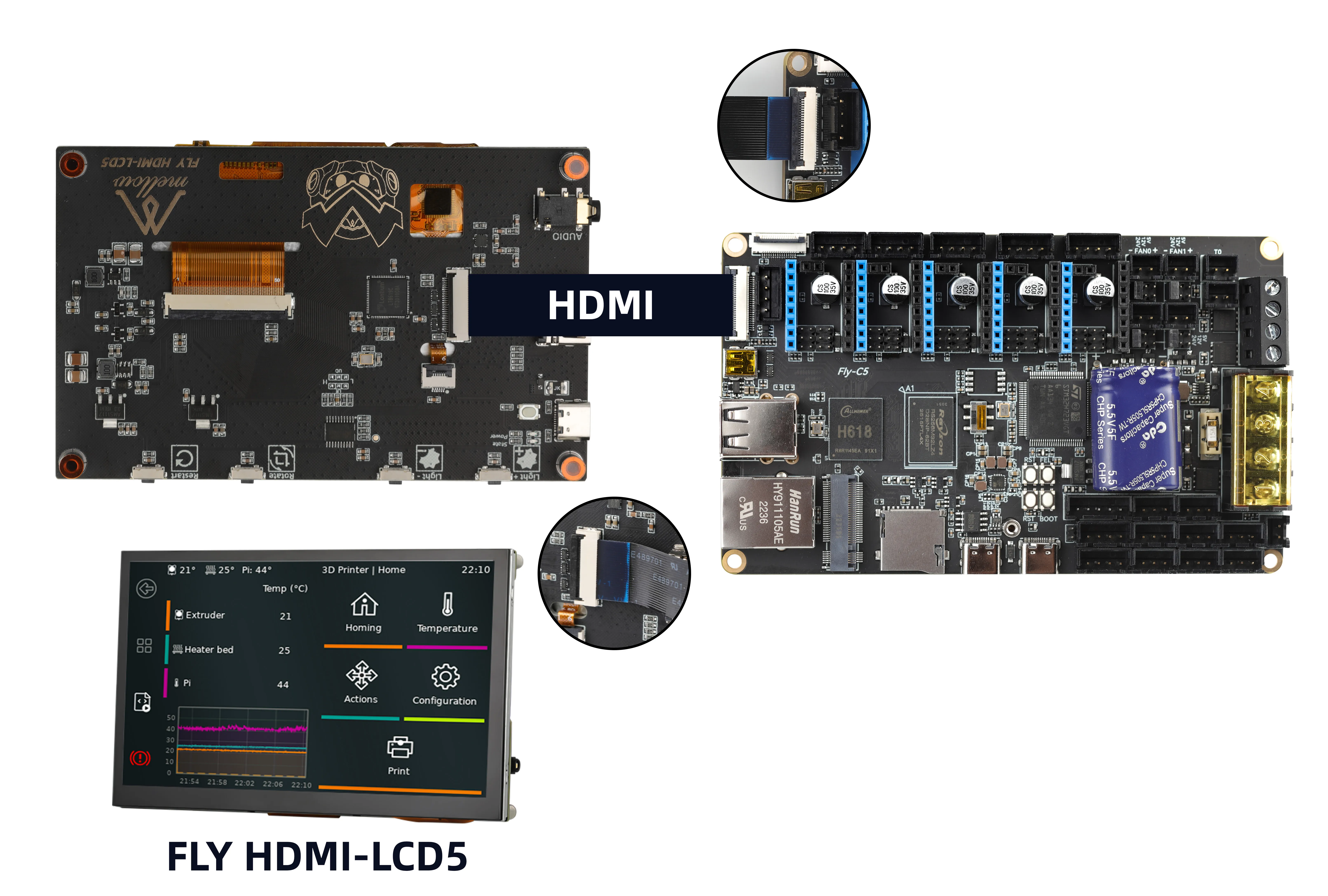
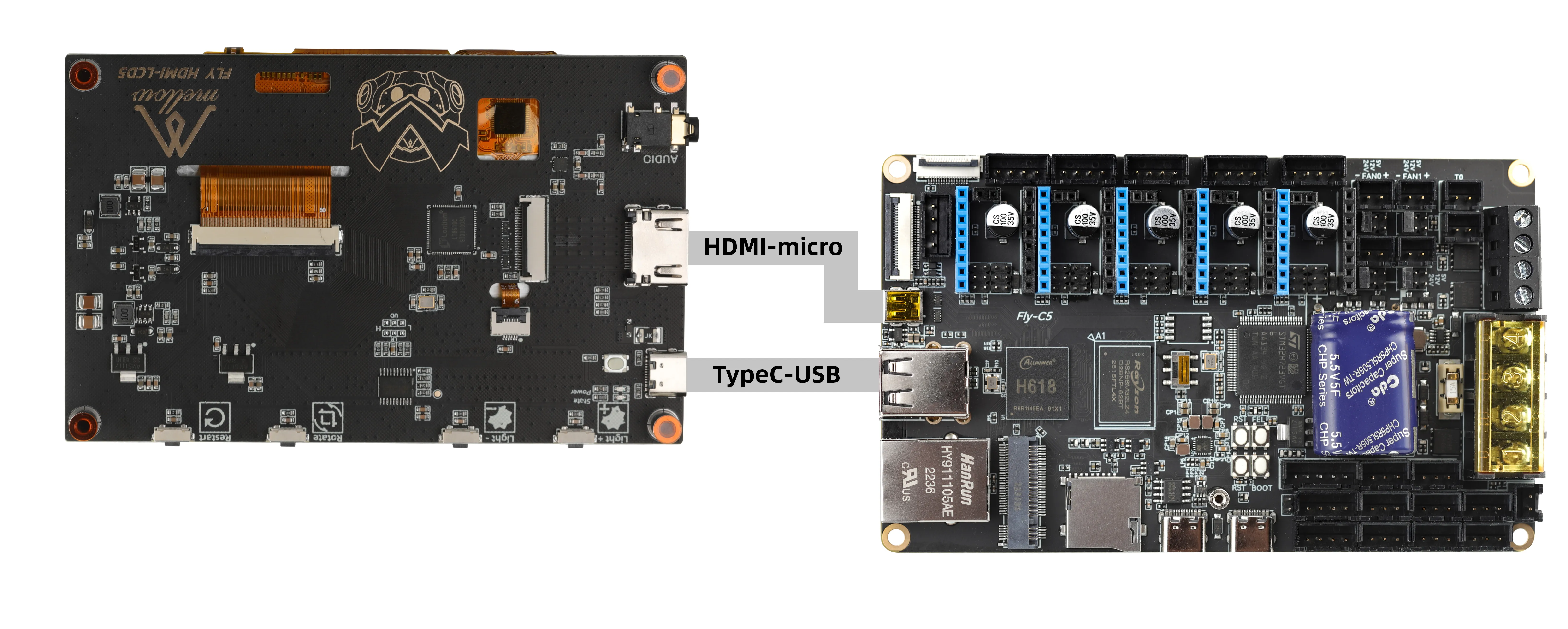
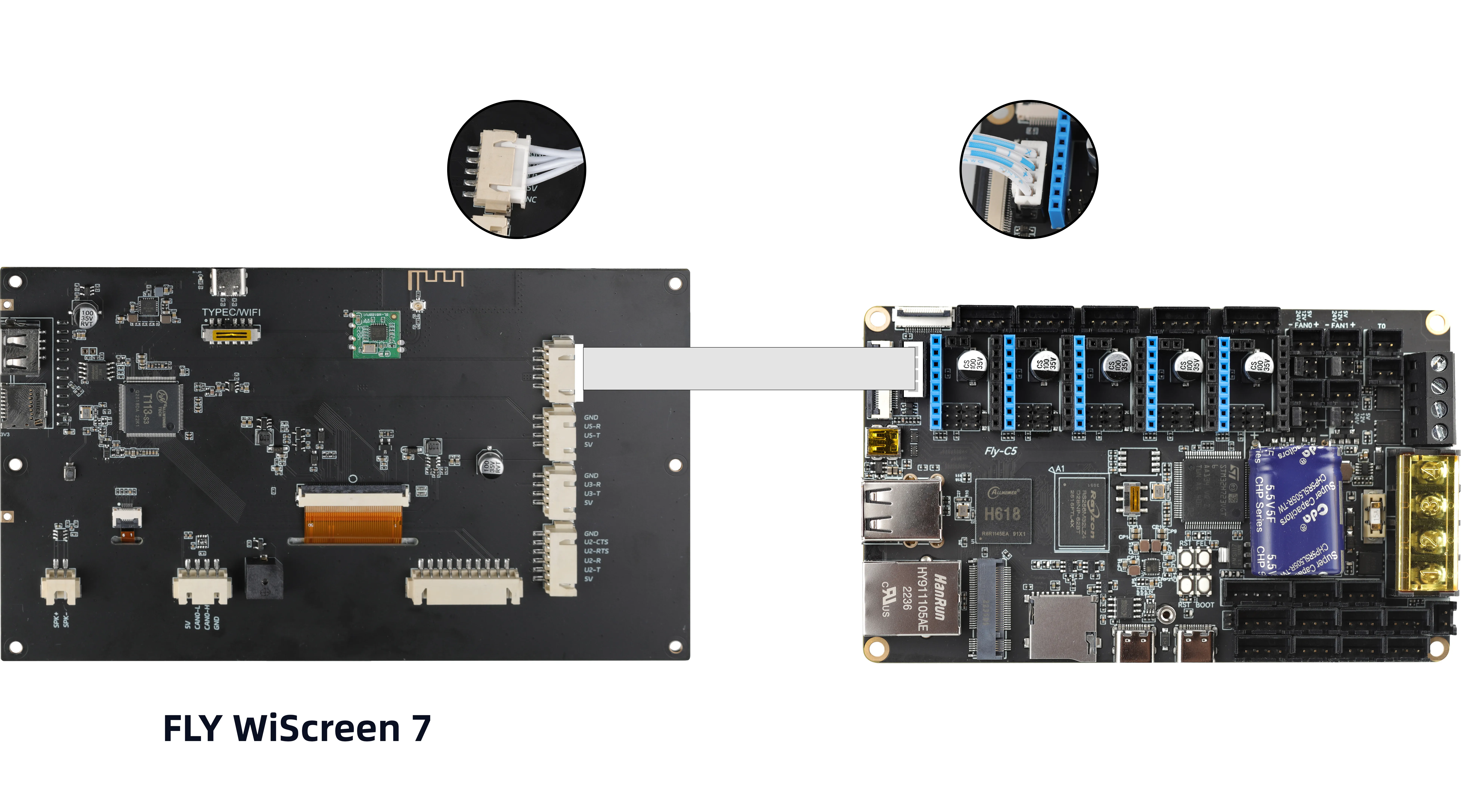
Important Notes
Configuration Precautions
- It is recommended to use the
mainsailorfluiddweb interface for configuration changes. - Do not enable web page translation features, as this may prevent the system from booting normally.
- Do not input Chinese characters or special symbols in configuration files.
- A system restart is required for configuration changes to take effect.
Critical Warning
- Do not modify any content below the line
######### PLEASE DO NOT EDIT THE FOLLOWING #########in configuration files.
Configuration File Modification Methods
Modifying Configuration After Flashing
- For configuration items that only take effect on the first boot, you must modify the
config.txtfile located in the removable diskFlyOS-Confusing a professional text editor after flashing is complete.
Online Configuration Modification After System Boot
- Regular configuration items can be modified on the system's web configuration page and will take effect after a restart.
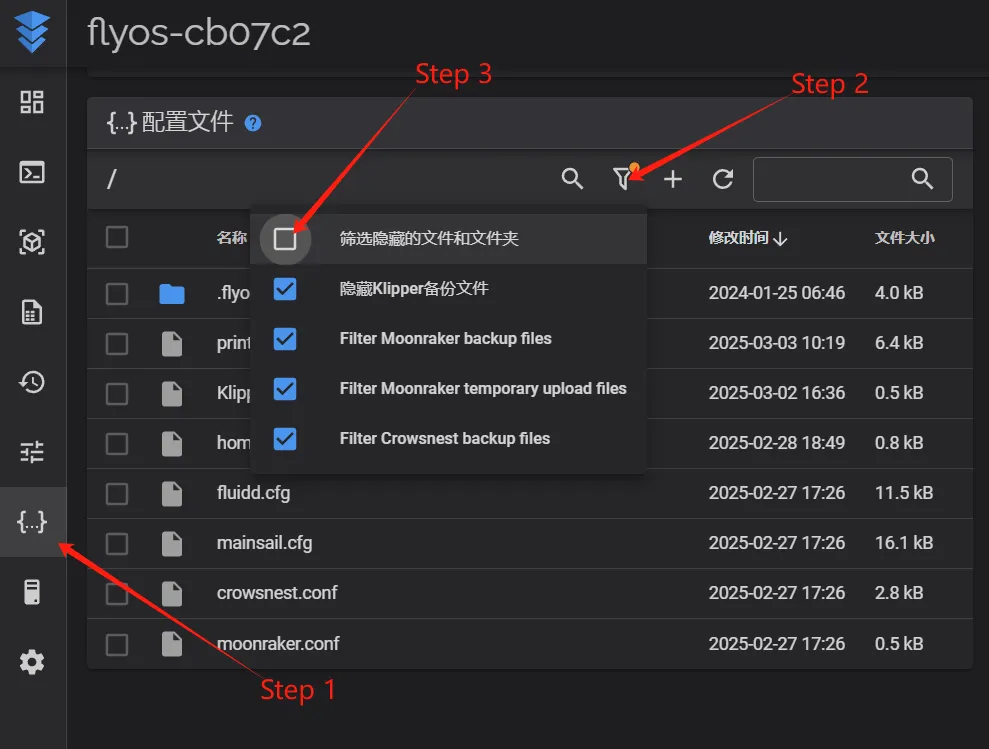
- Access the device's IP address via a browser, e.g.,
http://192.168.1.2/
 |
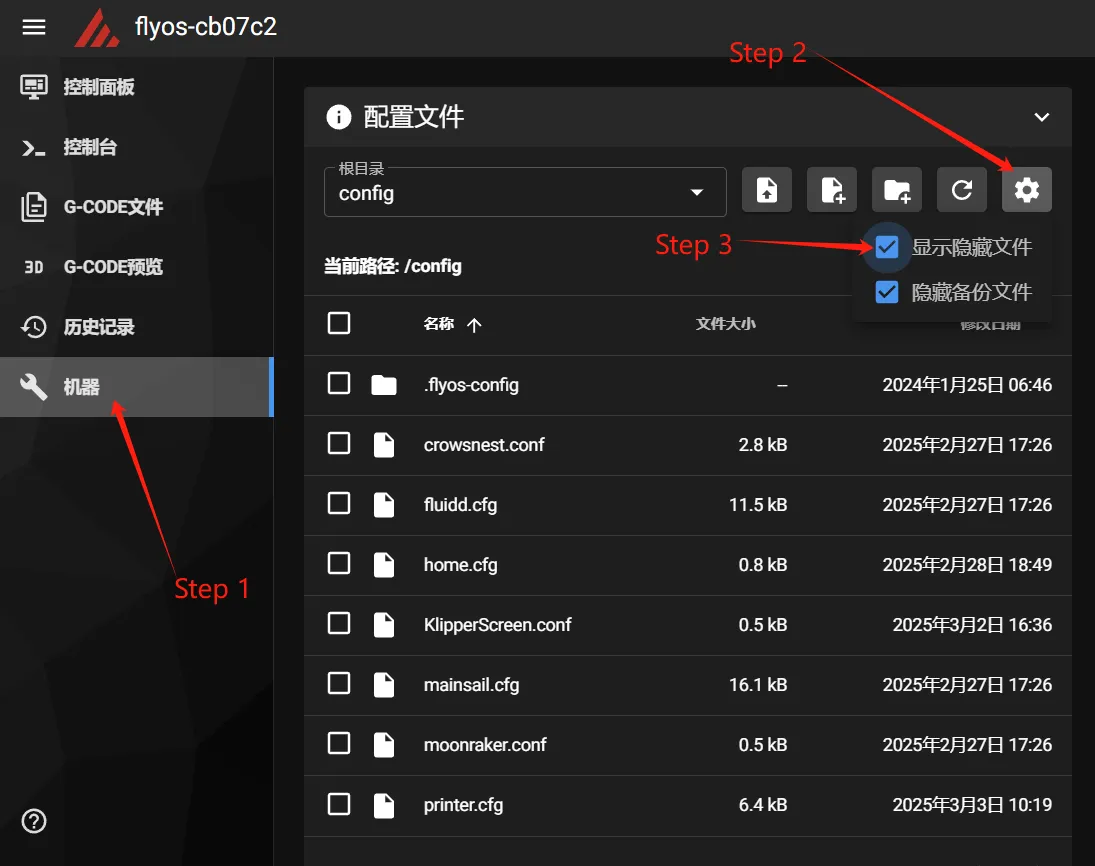 |
- Navigate to the displayed
.flyos-configfolder and find thesys-config.confconfiguration file.

- Edit the
sys-config.conffile. This file is a soft link to theconfig.txtfile in the removable diskFlyOS-Conf.

- After modifying the configuration items, save the file and restart the system for the changes to take effect.
Configuration Format Notes
- The configuration file format must be
key=value. Do not change it tokey: valueor any other format. - Do not add spaces before or after the equals sign.
Screen Configuration
- TFT Resistive Screen Configuration
- TFT Capacitive Screen Configuration
- HDMI Screen Configuration
- UART Screen Configuration
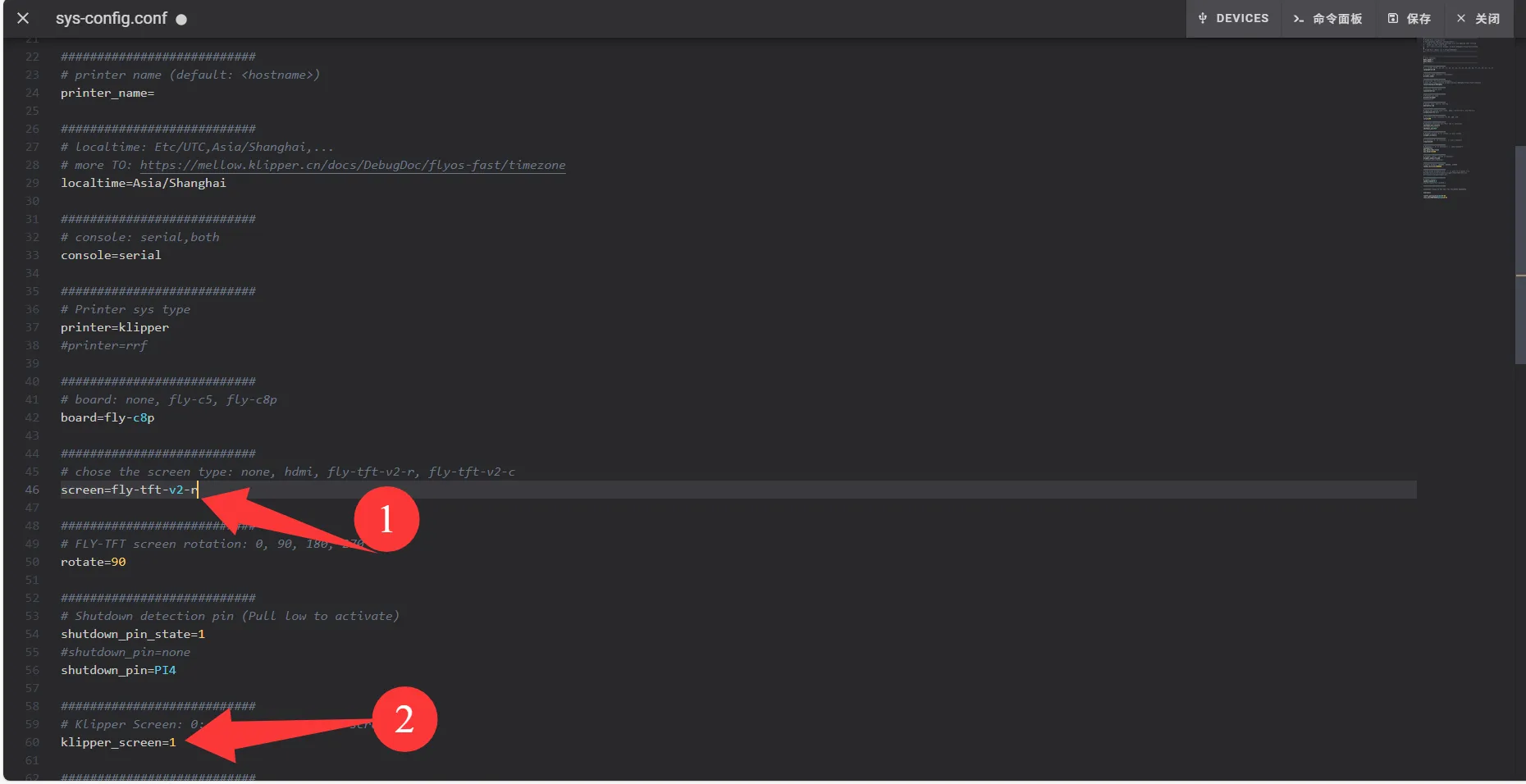
- Change the value after
screen=tofly-tft-v2-r - Change
klipper_screen=0toklipper_screen=1 - Reference configuration after modification:
screen=fly-tft-v2-r
- Also modify:
klipper_screen=1
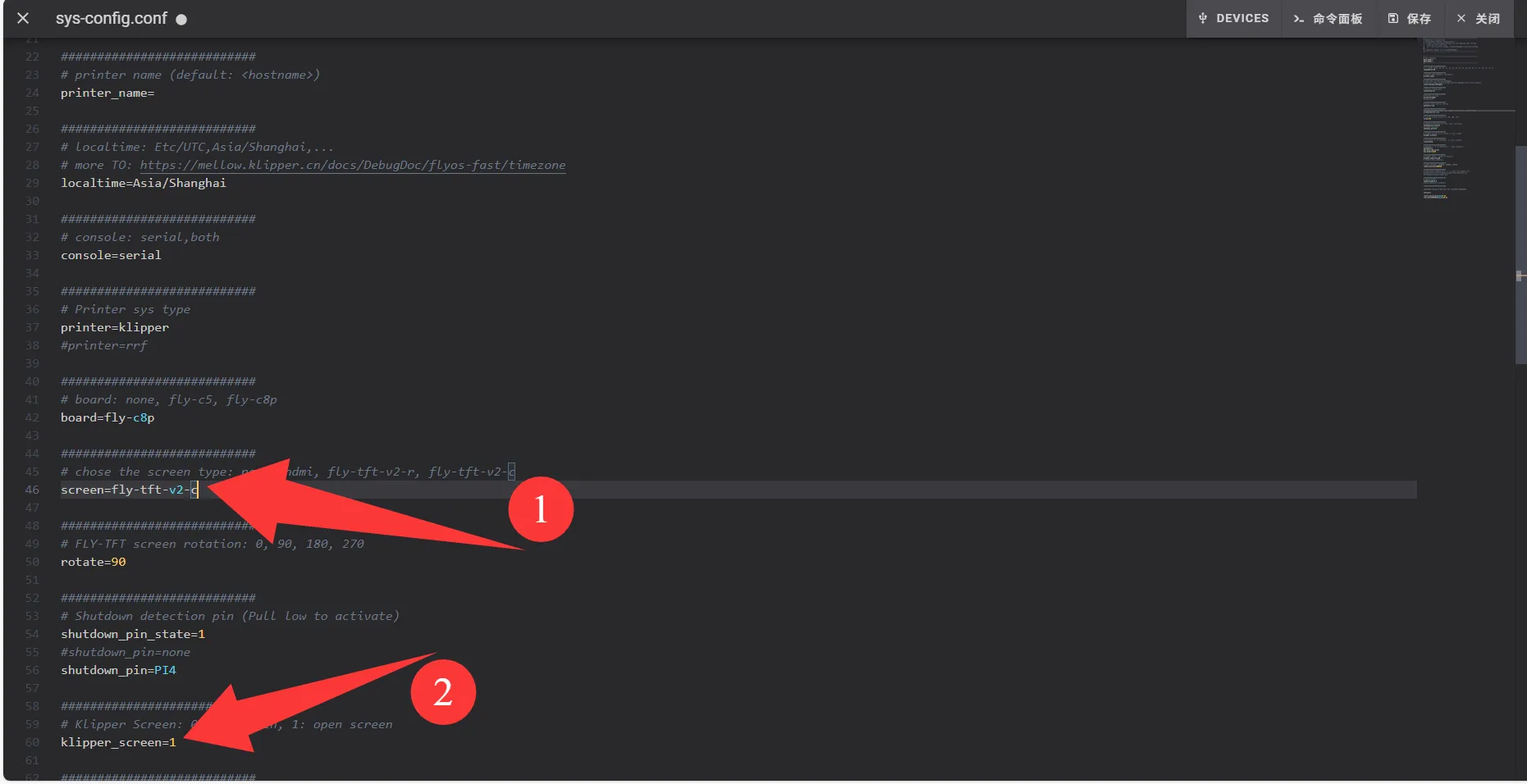
- Change the value after
screen=tofly-tft-v2-c - Change
klipper_screen=0toklipper_screen=1 - Reference configuration after modification:
screen=fly-tft-v2-c
- Also modify:
klipper_screen=1
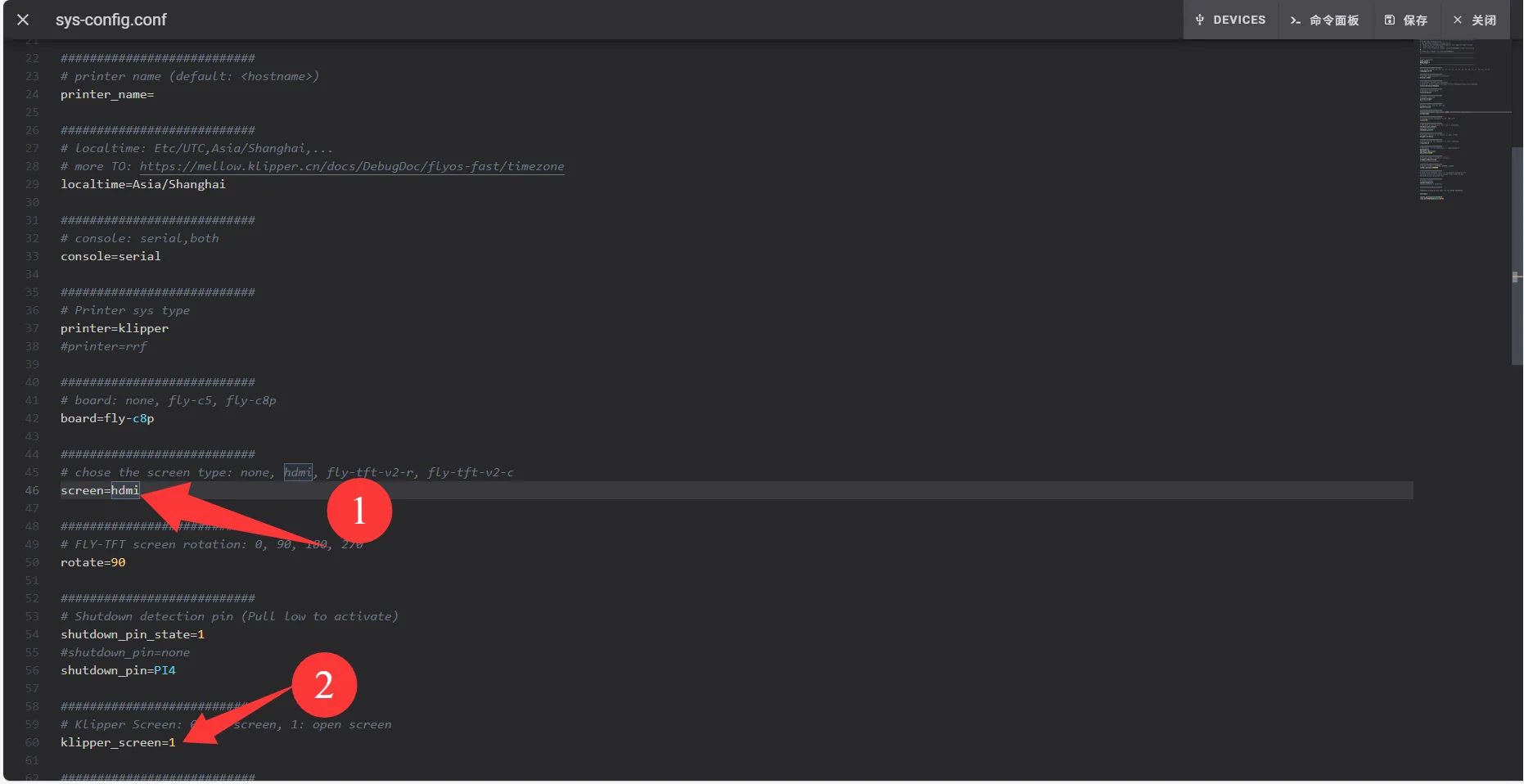
- Change the value after
screen=tohdmi - Change
klipper_screen=0toklipper_screen=1 - Reference configuration after modification:
screen=hdmi
- Also modify:
klipper_screen=1
- Change the
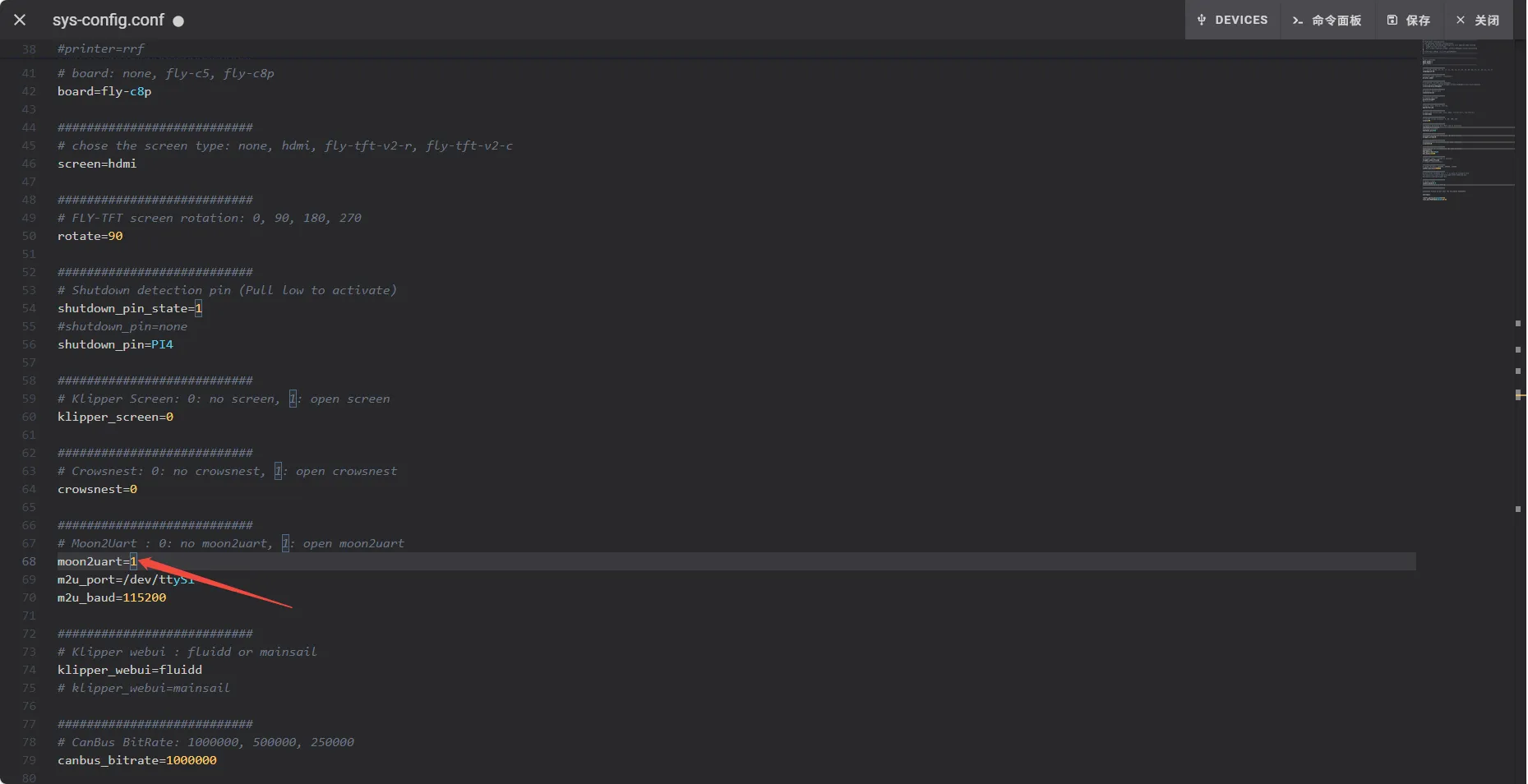
0aftermoon2uartto1 - Change
klipper_screen=1toklipper_screen=0 - Reference configuration after modification:
moon2uart=1
Loading...