Download and Installation
Download Config Myprint
- Click the download link below
-
Loading...
Install Config Myprint
-
Step 1: Start Installation
- Double-click to run the
Find_Myprints.exeinstaller; the system will display the installation wizard interface.
- Double-click to run the
-
Step 2: Set Installation Path
-
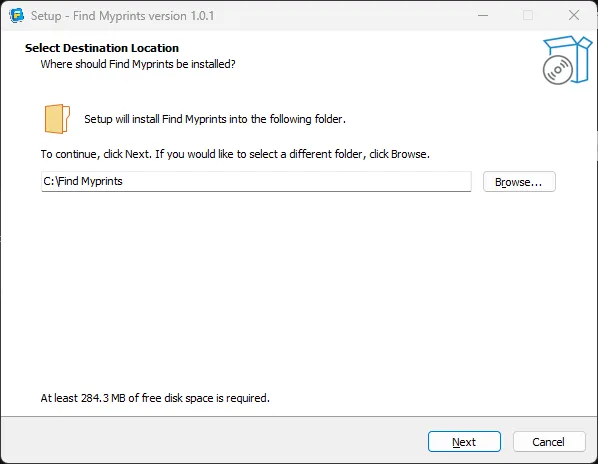
On this interface, you can set the installation location of the software:
- Default path is:
C:\Config Myprint - Change Path: Click the Browse... button to customize a new installation directory.
- Default path is:
-
Step 3: Proceed to Next Step
- After setting the path, click the Next button to continue.
- 💡 Tip: If you are unsure how to proceed, simply use the default path.
-
Check the box in front of
Create a desktop shortcutto choose whether to create a desktop shortcut -
After selecting
Create a desktop shortcut, clickNextto continue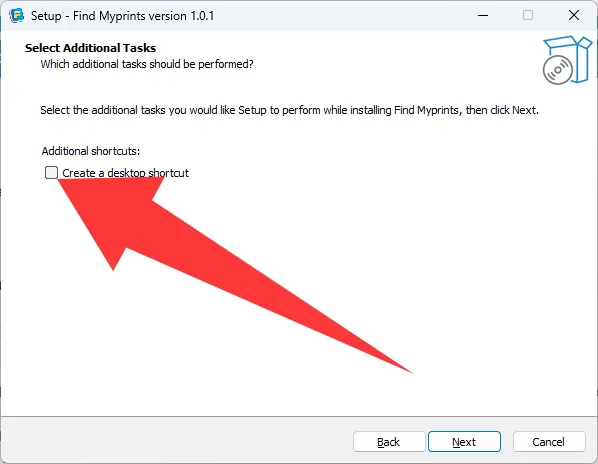
-
Click
Installto start the installation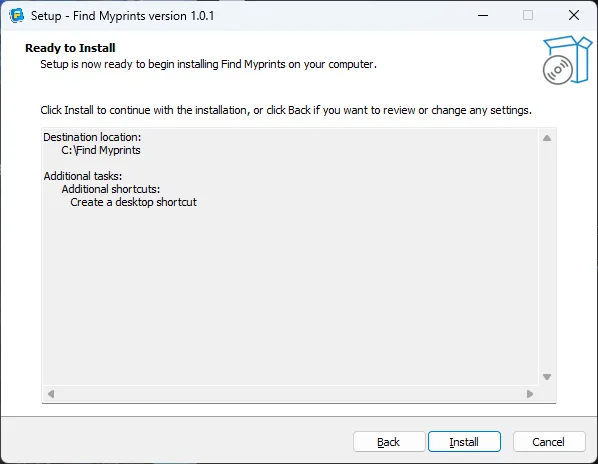
-
The following interface will appear when the installation is complete
-
Click
Finishto exit the installation wizard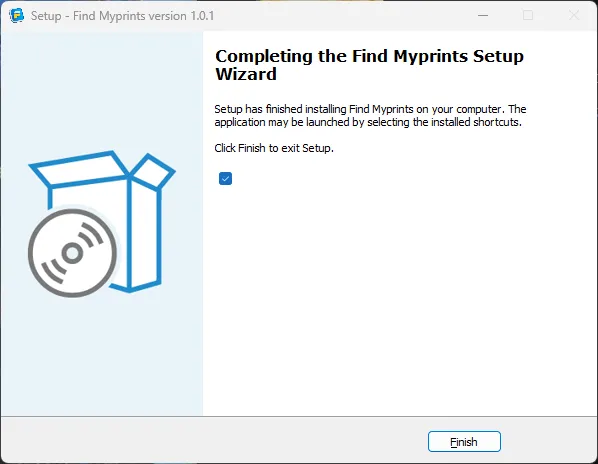
-
Double-click the desktop shortcut to open and use the software
Loading...