Firmware Flashing Instructions
How to Determine Which Firmware You Need
warning
- Note: Since the C8P is an all-in-one mainboard for both upper and lower computers, please always select the
USB firmwareif you are not using the CAN tool board!!! - When using the CAN tool board, please select the
CAN bridge firmware - No firmware flashing is required on the mainboard for RS232; however, the corresponding tool board needs to be flashed with RS232 firmware
-
USB Firmware
- Advantage: The most commonly used connection method in 3D printers, with reliable and stable communication
- Disadvantage: Data transmission might be affected if multiple USB devices are connected
-
CAN Bridge Firmware
- Advantage: Allows multiple devices to be connected simultaneously without occupying the USB port. This firmware is required only when using the CAN tool board
- Disadvantage: The initial firmware compilation and flashing process is slightly more complicated
DIP Switch Overview
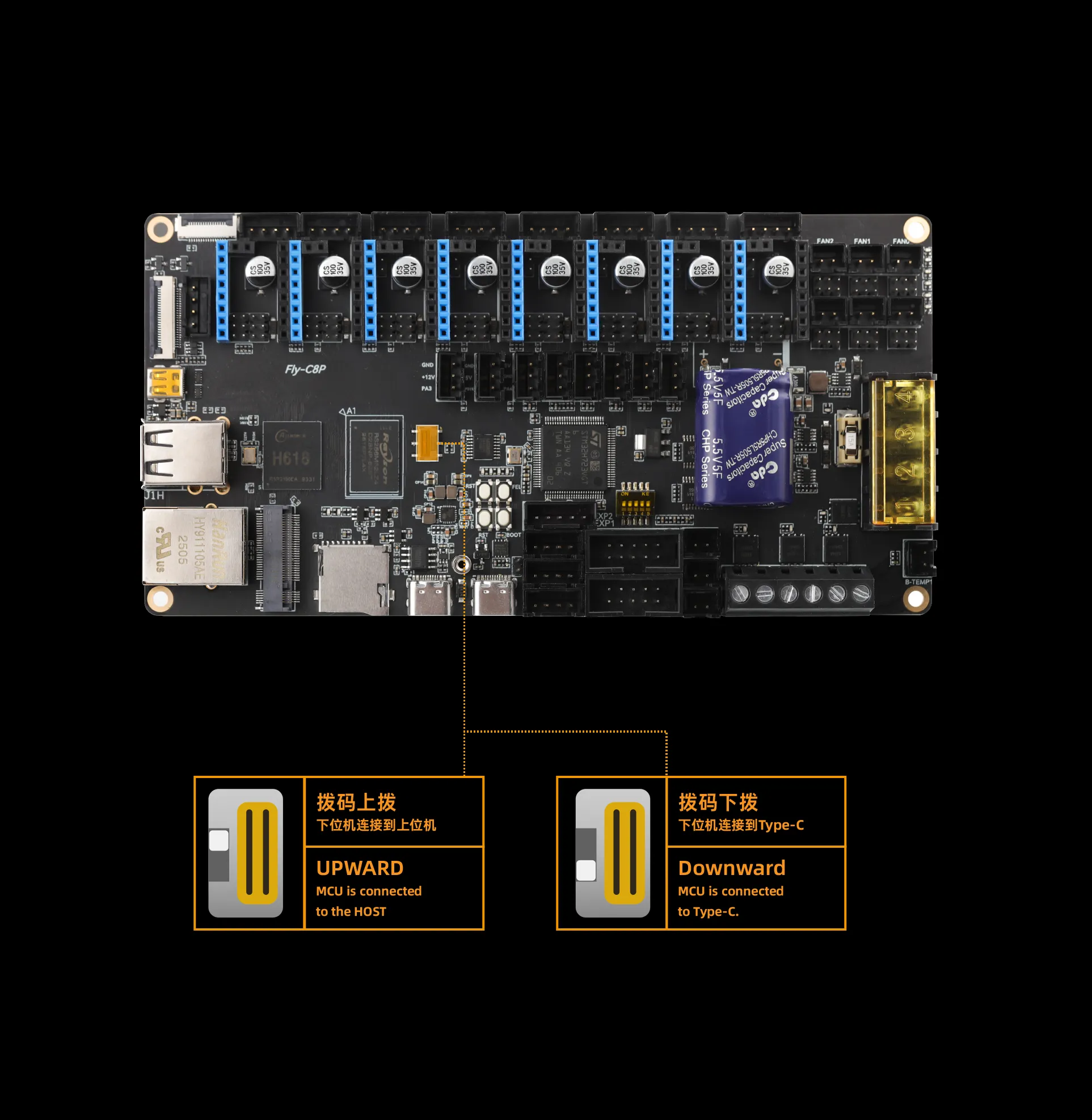
- The FLY C8P uses DIP switches to select the connection method between the upper and lower computers. Incorrect DIP switch positions may result in the upper computer failing to connect to the lower computer. Please pay close attention!!!
Onboard DIP Switch Instructions
Important
- During normal operation, please ensure the
DIP switch is toggled upward - When adjusting the DIP switch, please push it
fully upward, otherwise the connection to the lower computer may fail!!!
Loading...