Motherboard Notes
Power Indicator
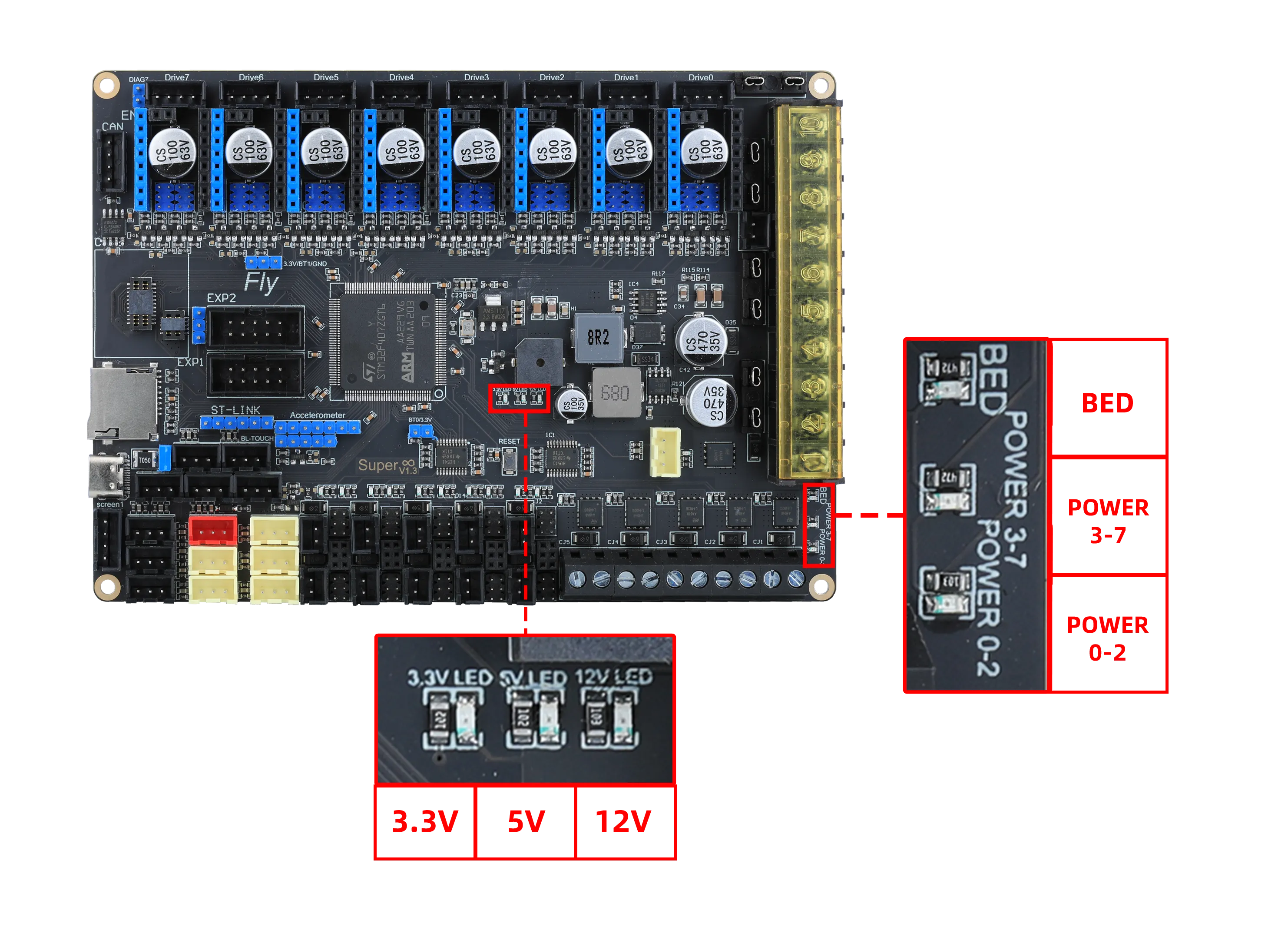
- When powered only via TYPE-C without connecting other motherboard power sources, at least two LEDs,
3.3Vand5V, should be lit. - After connecting the motherboard power supply, the motherboard power indicator should light up
3.3V,5V, and12V. - The power indicator at the bottom left of the motherboard will only light up normally after connecting the driver power supplies 0-2, driver power supplies 3-7, and the heated bed power supply.
Troubleshooting
Important Notes
- With no external devices connected (drivers, limit switches, 12864, etc.)
- When powered only via TYPE-C, at least the
3.3Vand5VLEDs should be constantly lit.
- If
3.3Vand5Vare not lit, please check the motherboard's 5V jumper. - If the issue persists after replacing the jumper and confirming that the Type-C power supply is normal, contact customer service for after-sales support.
- If any of the
3.3V,5V, or12VLEDs is blinking, it indicates a chip short circuit. Contact customer service for after-sales support.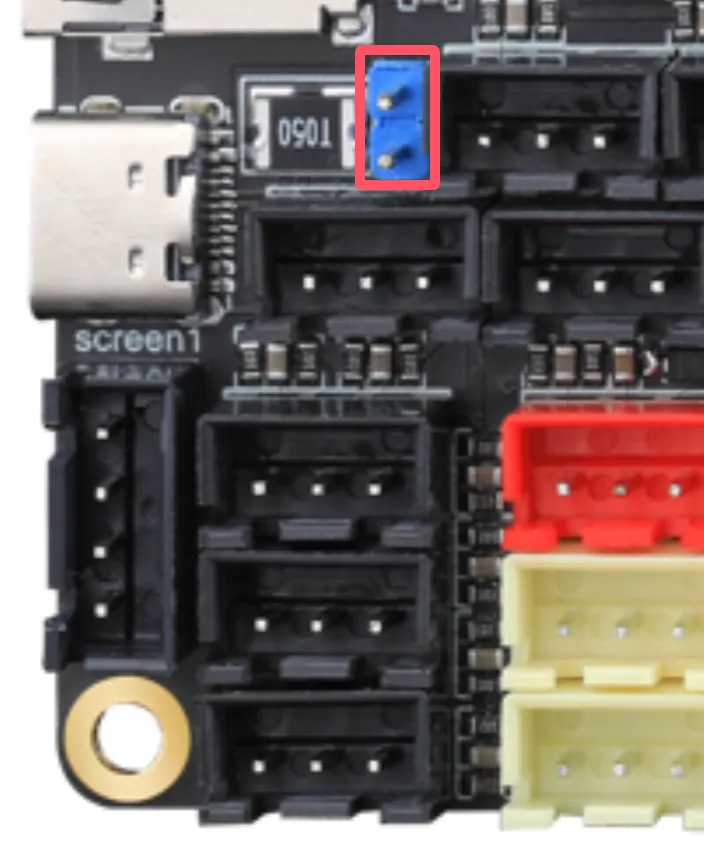
Drivers
- Please note the driver power supply. The driver power is divided into two circuits: the first supplies power to drivers 3-7, and the second to drivers 0-2.
- The motherboard supports external drivers. Wiring and Configuration Tutorial
Limit Switch Ports
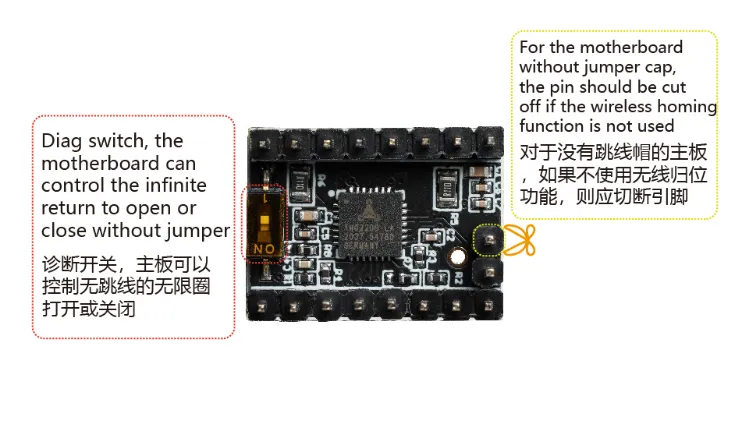
- Except for the last driver port (Drive7), which has a no-limit jumper, the no-limit function for other driver ports is directly connected to the limit switch ports.
- If a limit switch port is found to be unusable, you can replace the limit switch port or cut the no-limit pin of the driver.
Firmware Flashing
- The motherboard uses a TF card for firmware flashing.
- Previously, due to tutorial issues, DFU was used for flashing. If you need to update the firmware, you must reflash the BL.
Thermistors
- The motherboard's thermistor ports support:
- NTC thermistors
- PT1000 thermistors
Loading...